AKAR SMS Code Expired Problem – New OTP Receive Method
Many users today face a common issue while using online systems, apps, or government portals — the AKAR SMS code expired problem or not receiving OTP (One-Time Password). This issue can be frustrating, especially when you need to log in, verify your account, or complete an important process.
In this article, we will explain why OTP is not received, why the SMS code expires, and most importantly, how to fix the problem using new OTP receiving methods.
What is the AKAR SMS Code Expired Problem?
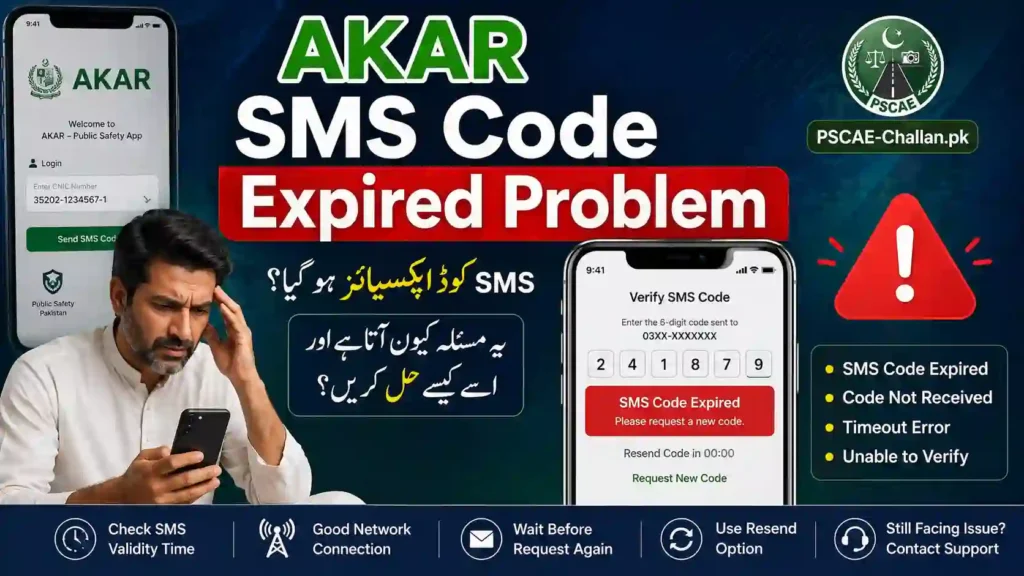
The AKAR SMS code expired problem happens when:
- You receive an OTP, but it expires before you use it
- You do not receive the OTP at all
- The system shows “code expired” even after entering the correct code
This usually occurs due to network issues, system delays, SIM problems, or incorrect settings.
Common Reasons Why You Are Not Receiving OTP
Understanding the cause is important before fixing the issue. Below are the most common reasons:
1. Weak Network Signal
If your mobile network is weak or unstable, SMS messages may be delayed or not delivered at all.
2. SIM Card Issues
Your SIM might be:
- Not properly inserted
- Expired or inactive
- Not registered for SMS services
3. Do Not Disturb (DND) Mode
If DND is enabled, your phone may block OTP messages.
4. Incorrect Phone Number
Sometimes users enter the wrong number while registering or logging in.
5. SMS Inbox Full
If your message inbox is full, new messages (including OTPs) cannot be received.
6. Delayed Server Response
Sometimes the system sending the OTP is slow due to high traffic.
7. Blocked Service Messages
Some phones automatically block unknown or promotional SMS.
Why Does the OTP Code Expire Quickly?
OTP codes are designed for security purposes, so they expire quickly (usually within 30–120 seconds). Reasons include:
- To prevent unauthorized access
- To ensure real-time verification
- To reduce fraud risks
However, delays in receiving SMS can cause the OTP to expire before use.
New OTP Receive Method (Step-by-Step Fix)
Here are the latest and most effective methods to fix the AKAR SMS code expired problem:
Method 1: Switch Network Mode
- Go to Mobile Settings
- Select Network Mode
- Switch between:
- 4G → 3G
- 3G → 2G
Sometimes OTP works better on lower networks like 2G.
Method 2: Restart Your Phone
A simple restart can fix many issues:
- Refreshes network connection
- Clears temporary bugs
Method 3: Enable SMS Permissions
Make sure your phone allows SMS:
- Go to Settings > Apps > Messages
- Enable:
- SMS permission
- Background activity
Method 4: Disable DND Mode
- Turn off Do Not Disturb (DND)
- Also check “Block unknown messages” setting
Method 5: Clear SMS Storage
- Delete old messages
- Keep inbox space available
Method 6: Use Alternative OTP Options
Many platforms now offer alternative methods:
- WhatsApp OTP
- Email verification code
- Call-based OTP (voice call)
Always choose these if SMS OTP fails.
Method 7: Insert SIM in Another Phone
Try your SIM in another device:
- If OTP works → your phone has an issue
- If not → SIM/network issue
Method 8: Contact Network Provider
If nothing works, contact your SIM provider:
- Jazz
- Zong
- Telenor
- Ufone
Ask them to:
- Enable SMS services
- Check network blocking
Pro Tips to Avoid OTP Issues
- Always use an active SIM card
- Keep your phone signal strong
- Enter the correct phone number
- Request OTP only once (avoid multiple requests)
- Wait at least 30–60 seconds before retrying
Quick Fix Checklist
Before requesting OTP again, make sure:
✔ Network signal is strong
✔ SMS inbox is not full
✔ DND mode is OFF
✔ Correct phone number is entered
✔ SIM is active
Frequently Asked Questions (FAQs)
Q1: Why am I not getting OTP on my SIM?
It could be due to weak network, SIM issues, or blocked SMS settings.
Q2: How to fix SIM not receiving OTP?
Restart your phone, check network settings, and disable DND mode.
Q3: Why does OTP expire so fast?
OTP expires quickly for security reasons, usually within 1–2 minutes.
Q4: What should I do if OTP is delayed?
Wait for a minute or request a new OTP, or use alternative methods like email or call.
SIM Not Receiving OTP Conclusion
The AKAR SMS code expired problem is common but easy to fix if you follow the right steps. Most of the time, the issue is related to network problems, SIM settings, or device restrictions.
By using the new OTP receive methods such as switching networks, enabling permissions, or using alternative verification options, you can quickly solve the issue and continue your process without delay.
If the problem still continues, contacting your mobile network provider is the best solution.